Download Template
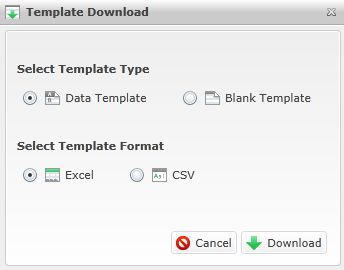
The  will be available on most Data screens, and many Business Rules screens. When you select this action, a pop-up screen will appear. There are two options to consider:
Select Template Type:
- Data Template. Select this option if you want to view an example of different data stored in the columns. This is a good choice if you are new to uploading data and need more detailed examples.
- Blank Templates. Select this option if you have your data is already defined, and you are simply interested in viewing the order for which the data should be placed.
Select Template Format:
- Excel Format. Select this option if you are downloading the template to a computer that has Excel 2007 or later.
- CSV Format: Select this option if you are downloading the template to a computer that has a later version of Excel, or different spreadsheet software altogether.
Related Topics: